
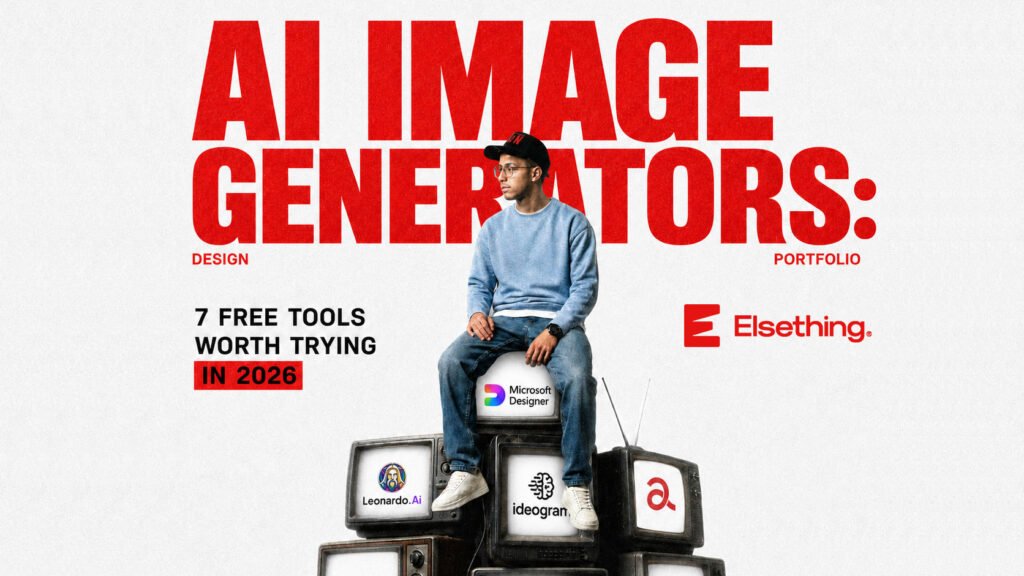
Free AI Image Generators, Tested for Watermarks and Commercial Rights
Not long ago, “free AI image generator” meant blurry, watermarked previews designed to push you toward a paid plan. That’s changed. In 2026, several tools now offer genuinely usable, watermark-free images on their free tier — some with explicit commercial use rights, no credit card required.
The hard part isn’t finding an AI image generator anymore. It’s figuring out which free tier is actually generous, which one quietly restricts commercial use, and which one will just waste your time. We tested the most talked-about options and broke down exactly what “free” means for each one.
Editing a photo you already have instead of making a new one from scratch? Our photo editing guide covers that instead.

1. Leonardo AI
Free tier: 150 tokens per day (roughly 30–50 images depending on settings).
Leonardo AI has the most generous free daily allowance on this list by a wide margin. That volume matters if you’re iterating on a concept and need several attempts to land on the right style, rather than getting one shot per day.
Best for: Anyone who needs to generate a lot of variations without hitting a wall.
Where it falls short: With so many settings and models to choose from, it has a steeper learning curve than simpler tools like Craiyon.

2. Microsoft Designer (Bing Image Creator)
Free tier: 15 fast generations per day via DALL-E 3, plus unlimited slower generations after that.
This gives you DALL-E 3 quality — the same engine behind ChatGPT’s image generation — completely free, tied to a Microsoft account you likely already have.
Best for: Small business owners and marketers who want commercial-grade quality without paying, and don’t mind a Microsoft sign-in.
Where it falls short: Once your daily fast generations run out, the slow queue can take noticeably longer, and quality dips slightly in that mode.

3. ideogram
Free tier: 10 credits per day, no watermark, with explicit commercial use rights.
Ideogram’s biggest advantage isn’t raw image quality — it’s that the free tier’s commercial terms are unambiguous. For anyone planning to actually use these images in a product listing or ad, that clarity is worth more than a slightly prettier render.
Best for: Small business and Etsy-style sellers who need to know, without digging through legal fine print, that they’re allowed to use what they generate.
Where it falls short: 10 credits a day is on the lower end compared to Leonardo’s 150 tokens.

4. Google ImageFX
Free tier: Free through Google’s AI ecosystem.
Powered by Google’s Imagen model, ImageFX produces some of the most photorealistic results in this list — particularly strong for people, landscapes, and objects that need to look convincingly real rather than illustrated.
Best for: Photorealistic images — product mockups, landscapes, portraits.
Where it falls short: Less flexible for stylized or illustrative work compared to Leonardo or Ideogram.

5. Craiyon
Free tier: Unlimited, no account or email required.
Craiyon (formerly known as DALL-E Mini, though it no longer uses that model) is the simplest tool here — open the site, type a prompt, get an image. No signup friction at all, and genuinely no daily cap.
Best for: Quick brainstorming, testing an idea before committing time to a more polished tool.
Where it falls short: Quality is noticeably behind every other tool on this list — fine for concepting, not for anything client-facing.

6. Adobe Firefly
Free tier: Free, no credit card required.
Firefly’s distinguishing feature is what it was trained on: licensed and public domain content only, rather than images scraped broadly from the web. That makes its commercial-use standing the clearest and safest of any tool here — a real consideration if you’re generating images for a paying client or a monetized site.
Best for: Commercial projects where copyright safety is a priority, not just a nice-to-have.
Where it falls short: Output style leans more conservative and “safe” compared to the more experimental results you can get from Leonardo or Ideogram.

7. Flux.1 Schnell (via Hugging Face)
Free tier: Free and open-source, no usage limits.
Flux.1 Schnell is released under an Apache 2.0 license, meaning it’s genuinely open — not just “free to use,” but free of the usage restrictions that come with most closed platforms. It currently produces some of the best photorealistic output of any free option.
Best for: Developers or technical users comfortable running it via Hugging Face Spaces, and anyone who wants zero licensing ambiguity.
Where it falls short: The interface is far less polished than the consumer-facing tools on this list — it’s built for people comfortable with a slightly more technical setup.
Free Doesn’t Always Mean Commercially Safe — Check This First
Not every “free” tool means you can use the output in a paid product, an ad, or a client project. Ideogram, Leonardo, Firefly, and Flux.1 Schnell all explicitly permit commercial use on their free tiers — but plenty of other tools restrict commercial use to paid plans only, even when the generation itself is free. Before you generate anything for a business, product listing, or client, check that specific tool’s terms of service. It takes two minutes and avoids a much bigger problem later.
Which One Should You Actually Use?
- Need lots of variations, fast? Leonardo AI.
- Already have a Microsoft account and want DALL-E 3 quality? Microsoft Designer.
- Selling on Etsy or running a small shop? Ideogram — for the commercial clarity alone.
- Need something photorealistic? Google ImageFX or Flux.1 Schnell.
- Just want to test an idea in 10 seconds, no signup? Craiyon.
- Working with a paying client where copyright risk matters? Adobe Firefly.
Most people end up using two tools rather than one: something fast and unlimited for early concepting (Craiyon), and something higher-quality for the final version (Leonardo, Ideogram, or Firefly).
This article reflects free-tier testing as of 2026. Free plan limits, credits, and commercial use terms change frequently — always confirm current details on each tool’s official website before publishing or selling anything made with it.